Only for NUSTians
Your labs, solved and submitted
by your own Claude.
Lab Wala pulls the lab from the LMS, solves it in Claude Code on your laptop, lets you edit the report, and submits it. You never open the LMS.
macOS
curl -fsSL https://labwala.pages.dev/install.sh | shWindows
powershell -NoProfile -ExecutionPolicy Bypass -c "irm https://labwala.pages.dev/install.ps1 | iex"How it works
From the LMS and back, without you opening it.
-
Get
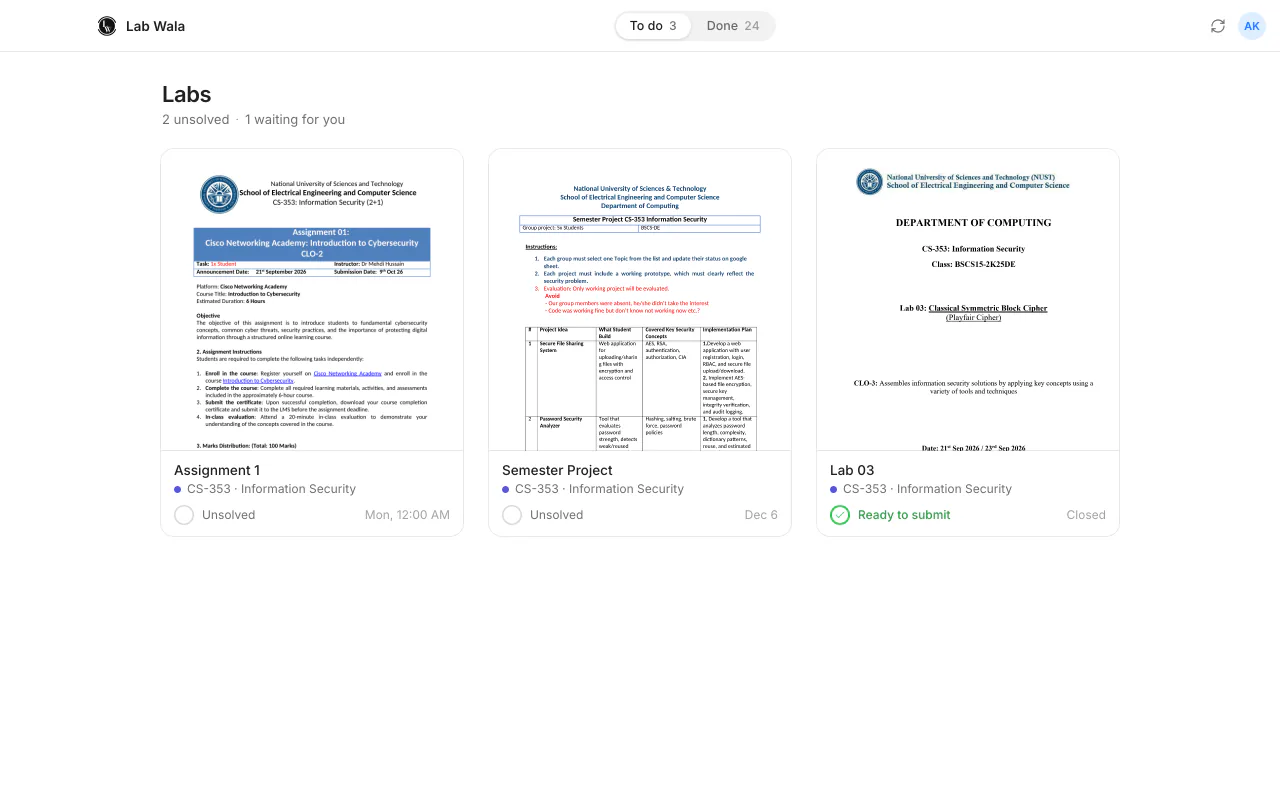
Your labs come to you.
Sign in once with your NUST LMS account. Every open lab shows up with its manual. That's the last time you think about the LMS.
-
Solve
Solved in your Claude, on your laptop.
Press Solve. Claude Code, in your own account, writes the code, runs it, takes the screenshots and drafts the report. You watch it happen.
-
Edit
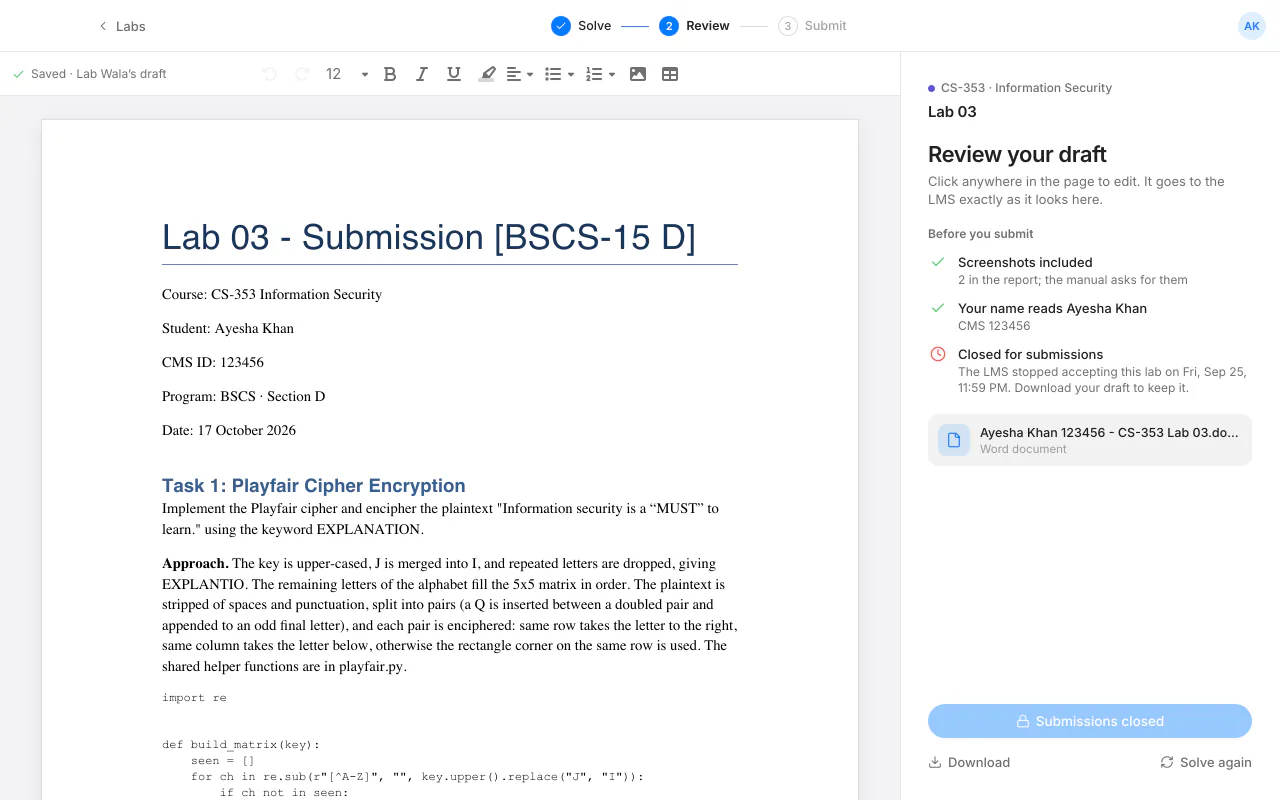
Change anything before it goes.
The report is a Word document in your name. Fix a sentence, redo a figure, add a line. Right in the app.
-
Submit
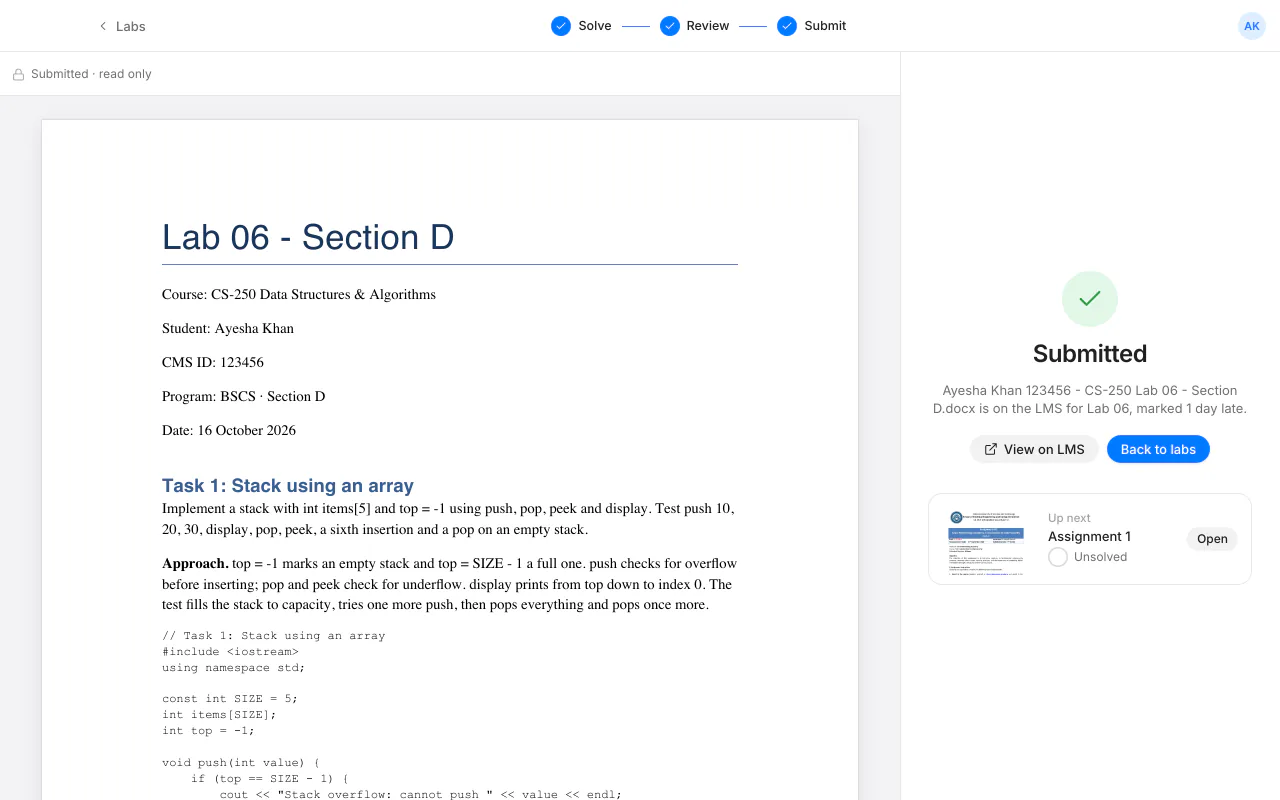
One click to the LMS.
When it reads right, press Submit. Nothing is sent until you do.
Why it's different
Your Claude, not ours.
It runs in Claude Code on your laptop with your subscription. We run no servers and see no labs.
It actually finishes.
Code written and run, figures rendered, report drafted, submitted. Not a chat window with a hint.
You stay in charge.
Every report is yours to edit, and nothing reaches the LMS until you press Submit.
Install in one line.
Mac or Windows. Run the same line again to update.
macOS
curl -fsSL https://labwala.pages.dev/install.sh | shWindows
Command Prompt
powershell -NoProfile -ExecutionPolicy Bypass -c "irm https://labwala.pages.dev/install.ps1 | iex"PowerShell
irm https://labwala.pages.dev/install.ps1 | iexWindows Terminal any tab
powershell -NoProfile -ExecutionPolicy Bypass -c "irm https://labwala.pages.dev/install.ps1 | iex"No terminal? Download the installer (.exe). If Windows says it protected your PC, choose More info, then Run anyway.
macOS
- Open Terminal. ⌘ Space, type Terminal, press Return.
- Paste the line, press Return. It installs Lab Wala and Claude Code, then opens Lab Wala.
- Sign in and connect Claude. Lab Wala asks for your LMS login, then for your Claude account.
Windows
- Open Command Prompt, PowerShell or Terminal. Windows key, type its name, press Enter.
- Paste its line, press Enter. It installs Lab Wala and Claude Code, then opens Lab Wala.
- Sign in and connect Claude. Lab Wala asks for your LMS login, then for your Claude account.
If it stops, run the same line again: it picks up where it left off. Paste it into the window itself, not the Run box, and keep the window open until Lab Wala opens.
Needs macOS 13 or newer on Apple silicon, or Windows 10/11 · Python 3 · a Claude Pro, Max or Team plan. Lab Wala is free.